
How It Works
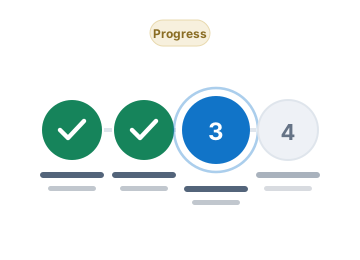
The four steps from account access to verified disbursement progress, and what happens at each stage.
Four steps
-
Access Your Account
Sign in through the authorised portal using the credentials issued to you. If you have not received access details, contact the administrator managing your beneficiary record. Accounts are created by an administrator; the portal does not allow unrestricted self-registration.
-
Review Your Records
Review the beneficiary information and asset records available to you. Check that your personal details are accurate and report anything that is not. Where a value is shown, it is labelled either as an estimate or as confirmed.
-
Complete Requirements
Submit any outstanding documents or information requested in the Document Center. Each submission is logged, and a document reviewer records an outcome — approved, rejected, or correction required with written feedback.
-
Track Progress
Follow verified status updates and administrative communications. Every status change is recorded with a timestamp and the identity of the officer responsible, so you always know where your file stands.
How a disbursement record progresses
Status transitions are controlled on the server by the rules below. A beneficiary cannot move their own record forward, approve it, or mark a payment complete.
| Status | What it means | Your action |
|---|---|---|
| Record Created | A disbursement record has been opened for this beneficiary. | No action required |
| Beneficiary Information Under Review | Beneficiary details and eligibility are being checked. | No action required |
| Documentation Required | One or more required documents are outstanding. | Upload the outstanding documents listed in the Document Center. |
| Documentation Under Review | Submitted documents are being reviewed. | No action required |
| Approved by Authorized Administrator | An authorised administrator has approved this disbursement. | No action required |
| Disbursement Processing | The approved disbursement is being processed. | No action required |
| Completed | Disbursement completed and independently verified. | No action required |
| On Hold | Processing is paused pending further information or review. | Review administrative notes and respond to any request. |
| Rejected | This disbursement record was not approved. | Contact support if you believe this is incorrect. |
About processing timelines
The portal shows you the current status of your record. It does not display a promised completion date, and it will never show a payment as completed until completion has been independently verified by an authorised officer and a transaction reference has been recorded.
Actual processing timelines depend on the relevant administrator and the procedures that apply to your file. If you need an update on timing, use the secure message thread attached to your record.
Nothing in this portal constitutes a promise of payment, a guarantee of an amount, or confirmation of an entitlement. Records are administrative records only.
Questions before you start?
Read the frequently asked questions, or contact support operated by Meridian Asset Administration Services.